
ERP and 3D CAD for window and door manufacturers
From quote to machine file, in one system.
CADER is the ERP and 3D CAD built for window and door manufacturers. Draw the construction, price it, and export the programs your machines read.
- Installed on your own servers
- PVC and aluminium joinery only
- Output for Urban, Stürtz and Thorwesten machines
- Interface in English, Polish, German, French, Italian and Japanese
The drawing is the record
What you draw is what gets priced, cut and welded.
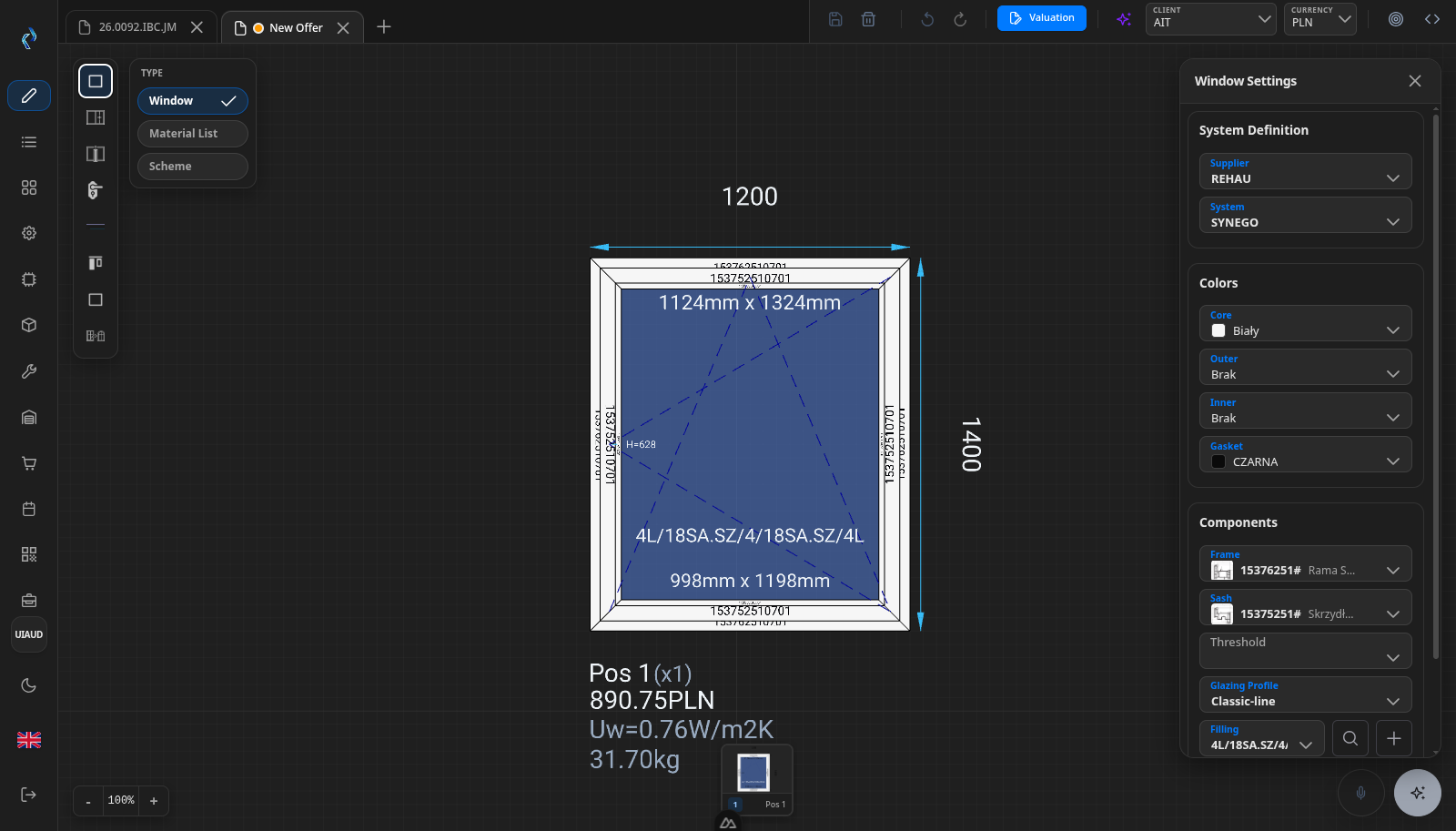
Frames, sashes, mullions, glazing and fittings are real objects with real dimensions taken from your profile catalogue. The same record produces the price, the bill of materials, the cutting list, the labels and the machine files. Nothing is retyped between steps, because there is only one step.
What it is
One system instead of five
CADER covers the work between a customer enquiry and a finished frame. Offers, constructions, materials, production packages, machine programs, stock and purchasing sit in one database instead of five that have to be kept in agreement with each other.
It is built for one industry: PVC and aluminium windows, doors and their hardware. That is why the vocabulary is profiles, sashes, mullions, glazing units and reinforcements rather than generic parts and assemblies.
One record
The 3D construction is the bill of materials, the price and the cut list. There is no second version of the truth to reconcile.
One industry
Profile systems, glazing build-ups, hardware and welding rules are modelled directly, not bent into a generic manufacturing schema.
Your servers
CADER is installed on hardware you control, with your catalogue, your prices and your machine settings.
Who it is for
Built for one kind of factory
CADER is for manufacturers who draw and produce their own joinery. If you make something else, it is the wrong tool and we will say so.
- PVC and aluminium windows, doors and their hardware
- Shops running their own saws, machining centres and welders
- Companies quoting from their own profile catalogue and price lists
The route
Quote to machine file, step by step
Every step works on the same record. Nothing is retyped between them.
- Draw the construction Frames, sashes, mullions and glazing, built from your own profile catalogue.
- Quote it The same record becomes the offer, priced position by position.
- Batch it Group accepted positions and optimise the bar cutting across the batch.
- Schedule it Confirm the material is covered, then schedule, approve and release production.
- Send it to the machines Programs written in the dialect each machine on your floor already reads.
- Track it on the floor Scan a code and book completed work against a worker badge.
Also in CADER: Catalogue and technology data · Stock and warehouse · Purchasing · Contractors and price lists · Administration and reports
Planning
Plan it, then release it
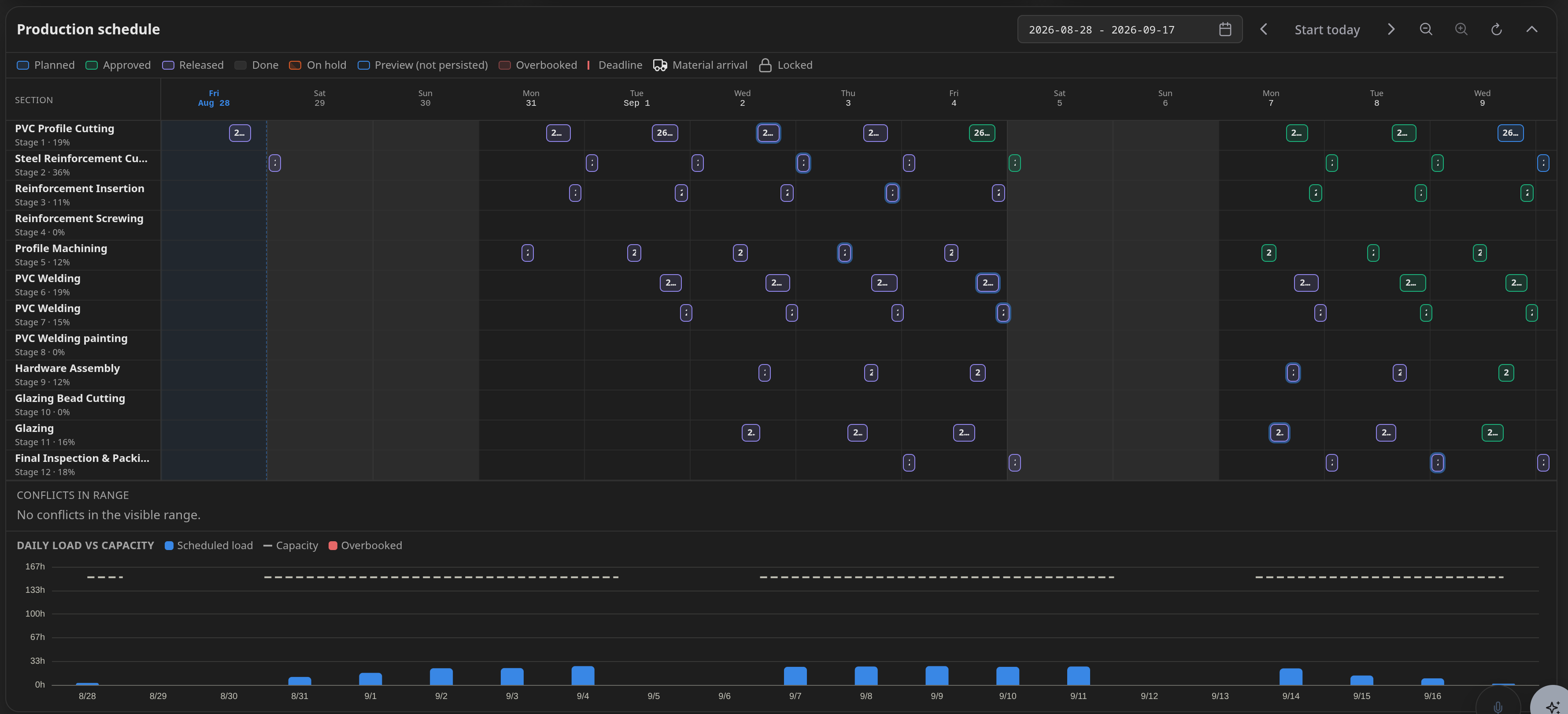
One screen to group offers into production packages, confirm the material is covered, and schedule, approve and release production. Scheduling and grouping are gates a person passes deliberately, not steps that happen quietly in the background.
The plan is produced by a constraint solver, not by guesswork. It searches for a complete plan — package grouping, material readiness and machine load together — and reports what it could not satisfy instead of quietly dropping it.
Machine output
Straight to the machines
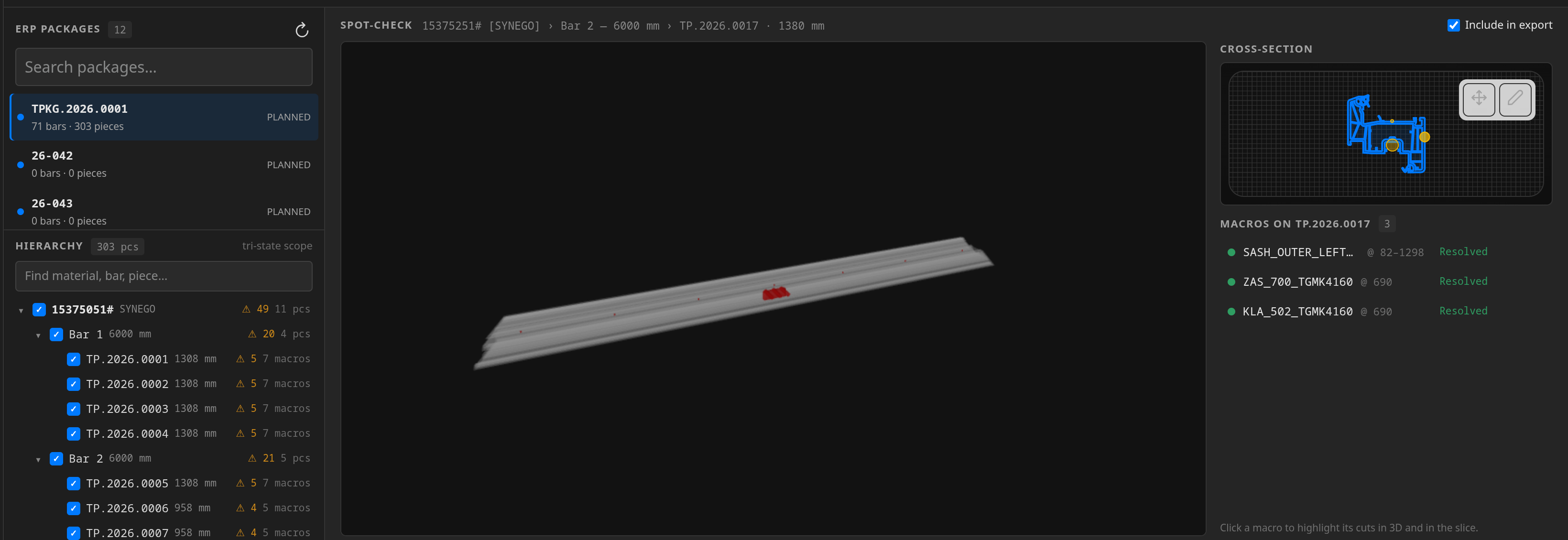
Programs are generated for each machine you configure, straight from the same drawing that produced the quote and the cutting list. Nothing is retyped between the office and the shop floor.
Urban and Thorwesten machining centres, Stürtz and four-head welders, saws and saw optimisation.
Machines are configured per site, so output follows the machines you actually run.
Models
Where AI is used
AI is used in a few specific places in CADER. Everything else is ordinary calculation.
See it on your own products
A demo is a working session, not a slide deck. Send us one of your profile systems and a typical construction, and we will show you the same window priced, drawn in 3D, and turned into a cutting list and a machine file.